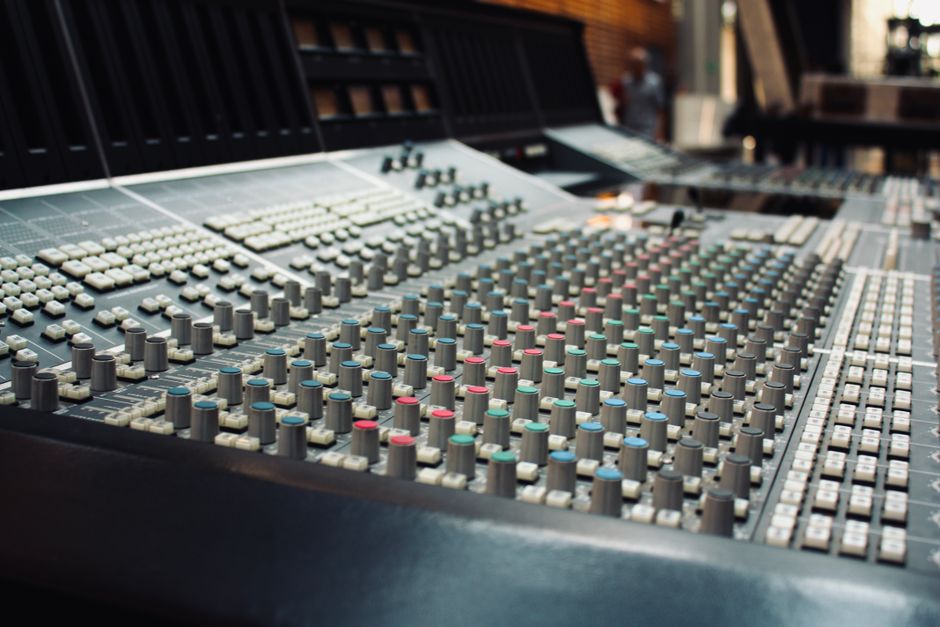
Clear audio is the foundation of professional conference filming. Yet, many organisers focus almost exclusively on video, assuming sound will simply work. In practice, audio is more likely to disrupt an event recording or live stream than any camera issue. Understanding why, and planning accordingly, is essential for conference organisers, businesses and any family arranging event filming or streaming. This article explores the common pitfalls and proven solutions for achieving broadcast quality sound at your event.
Why audio is often overlooked in conference filming
Audio is frequently taken for granted because it is largely invisible. While cameras and operators are clearly present, microphones, mixers and cabling tend to be discreet. Many venues offer built-in sound systems, leading organisers to assume these will suffice for both the room and the recording. However, the requirements for clear presentation in the room and for a high quality recording or stream are rarely the same.
The difference between room sound and recorded sound
Venue public address systems are designed for amplification within the space, not for capturing a clean audio feed. Room acoustics, audience noise and microphone placement all affect what is picked up by cameras and recorders. Without dedicated audio feeds, even the best video footage can be undermined by muffled, echoing or inconsistent sound. This is particularly challenging in venues with high ceilings, hard surfaces or background activity, which can introduce unwanted reverberation and noise.
Common assumptions that cause audio problems
- Relying solely on the venue’s PA feed, which may not include all microphones or may be mixed for room volume rather than clarity.
- Using only camera microphones, which pick up ambient noise, audience sounds and room echo.
- Forgetting to brief presenters about microphone use, leading to inconsistent volume or missed speech.
- Overlooking backup solutions, risking loss of sound if a cable or battery fails during a critical moment.
Planning audio for conference filming and live streaming
Reliable audio for conference filming is not left to chance. It begins with planning and collaboration between the event organiser, the technical team and the venue. An early site visit is ideal, allowing the production team to assess acoustics, confirm access to suitable audio feeds and identify potential challenges.
Understanding your event’s audio requirements
Each event is unique. A panel discussion may require individual radio microphones for every speaker. A keynote may need both a lectern microphone and wireless options for roving presenters. Hybrid conferences, with remote contributors and in-room audiences, often require additional mixing and careful audio routing to prevent feedback and ensure clarity for every participant.
Integrating with venue audio systems
Experienced conference filming teams will liaise directly with venue technicians to obtain a clean feed from the sound desk. However, it is important to verify exactly which microphones and sources are included in this feed. In some cases, additional microphones may need to be supplied and mixed independently, particularly if audience questions or breakout sessions are to be captured without gaps.
For events where privacy is important, such as internal company updates or live streamed funerals, secure and isolated audio feeds help maintain discretion and prevent unintended recordings.
The technical approaches that ensure clear sound
Professional production teams take steps to minimise audio risks and achieve consistent quality throughout an event. This is especially important for live streaming, where sound issues cannot be fixed after the fact. Below are the core elements of reliable audio in conference filming:
Multi channel audio recording
Each source, such as lectern, panel and audience microphones, should be recorded on separate channels. This allows for later adjustment and ensures that a technical problem on one channel does not affect the entire recording. Multi channel recording is standard practice for broadcast and high quality event coverage.
Audio clarity and redundancy planning
Redundancy is essential. Wireless microphones should be backed up by wired options where possible. Batteries must be checked and replaced as part of a comprehensive pre-event checklist. Where feasible, a secondary audio recorder should run alongside the main mixing desk, providing a fail-safe in case of equipment malfunction.
Secure private streaming for sensitive content
For confidential meetings or family ceremonies, secure streaming platforms with encrypted links ensure that only invited viewers can access the audio and video. This includes multi factor authentication and non indexable links, supporting both privacy and compliance with data protection standards.

Managing audio in live streamed events
Live streaming introduces additional considerations. Audio delay, internet instability and remote participant feeds all require careful management. Cellular bonding and backup connectivity options help maintain the stream should the primary internet connection drop. A dedicated audio operator, monitoring both the room and the outgoing stream, can quickly address any issues as they arise.
Ensuring stable and consistent sound for remote audiences
Remote audiences are less forgiving of audio issues than those in the room. An unclear or intermittent feed leads to immediate frustration. Professional streaming setups feature real time monitoring, where trained technicians listen to the actual stream output and adjust levels as required. This is particularly relevant for hybrid conferences, where both in-person and online delegates must receive the same clear message.
Integrating presentation slides and video with sound
Many conferences involve PowerPoint presentations, video playback or remote contributions. Each source must be routed through the audio system and tested in advance. This prevents abrupt volume changes or missing sound when switching between live and pre-recorded content. Integrated workflows, with rehearsed transitions, allow seamless switching between presenters and media.
Long term access and quality assurance for conference content
Clear sound is not only important on the day. Many organisations require long term access to filmed conferences for training, compliance or future reference. High quality audio makes recordings usable and ensures that content remains clear when edited into shorter highlight films or website videos. Files delivered in accessible formats, with separate audio and video tracks, provide maximum flexibility for repurposing.
Reviewing and archiving for future use
Professional production companies provide review links and secure archives, allowing clients to verify the quality of both video and audio before final delivery. This supports accuracy, compliance and peace of mind. For further information on how this fits within a broader video strategy, our web video production resources offer detailed insights.
Frequently asked questions about conference filming audio
- Can you use the venue’s microphones for recording?
Sometimes, yes, but it is important to confirm with both the venue and your filming provider which microphones are included in the available audio feed. Supplementary microphones may be needed for complete coverage. - What if a microphone fails during the event?
Redundancy planning, including backup microphones and recorders, reduces the risk of lost sound. Experienced teams monitor all channels and can switch sources if needed. - Is live streamed audio different from recorded audio?
Live streams require real time monitoring and may involve additional equipment to handle internet or latency issues. The core principles of clarity and reliability remain the same. - How can we ensure privacy for sensitive events?
Secure streaming links, isolated audio feeds and strict access controls help maintain confidentiality and comply with privacy requirements.
Speak with an experienced conference filming team
Every event has its own technical and practical requirements. Early engagement with a professional production partner will help you plan for clear and reliable sound. To discuss your next conference or event, visit our live streaming and filming services page or contact us for tailored advice.
Disclaimer: This guidance reflects established professional video production practice. It does not replace venue, legal or organisational requirements. Always verify with your venue and event partners.